

Built for hourly and shift work.
Elmtrackr is an hourly-pay and shift tracker for Android phones and Wear OS watches. You clock in, and it records your hours, applies the pay rules you've set, and shows an estimated gross while you work.
It's for anyone paid by the hour or by shift — working overtime, weekends, nights or premium rates — who wants to know what a shift is worth as it happens, then check that against their payslip.
One tap. The record starts.
Punch in and Elmtrackr keeps the reading live — elapsed time, the rate that applies right now, and pay counted so far. Punch out and the shift files itself.
The math is never hidden.
Every figure shows its formula. Elmtrackr always calls the number an estimate — check it against your payslip, and you'll know within a minute whether payroll got it right.
Estimates use the rules you configure, and regional presets are only starting points you can adjust. Always compare an estimate with your employer's official records and payslip. Elmtrackr is not legal, payroll or tax advice.
Night shift, from the wrist.
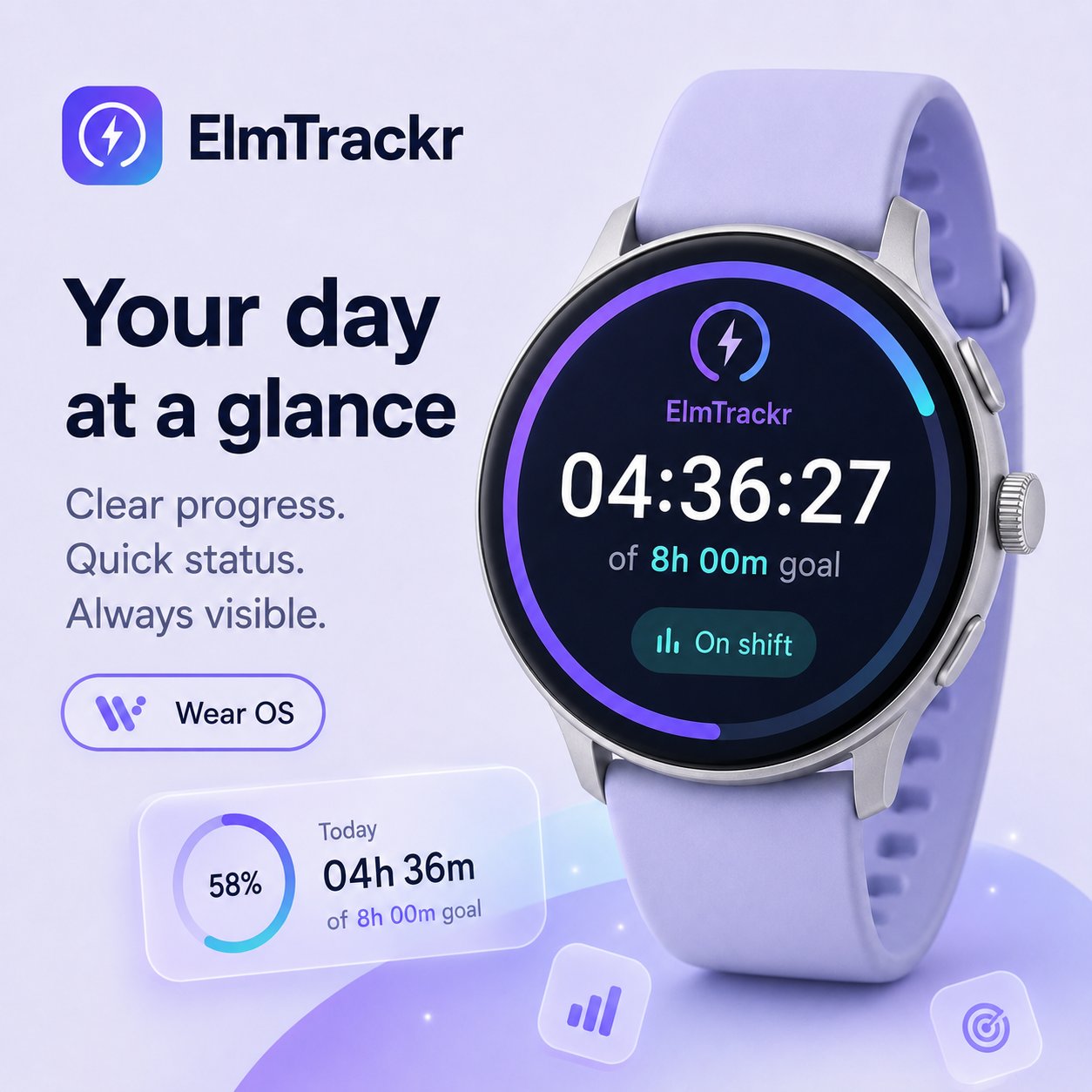
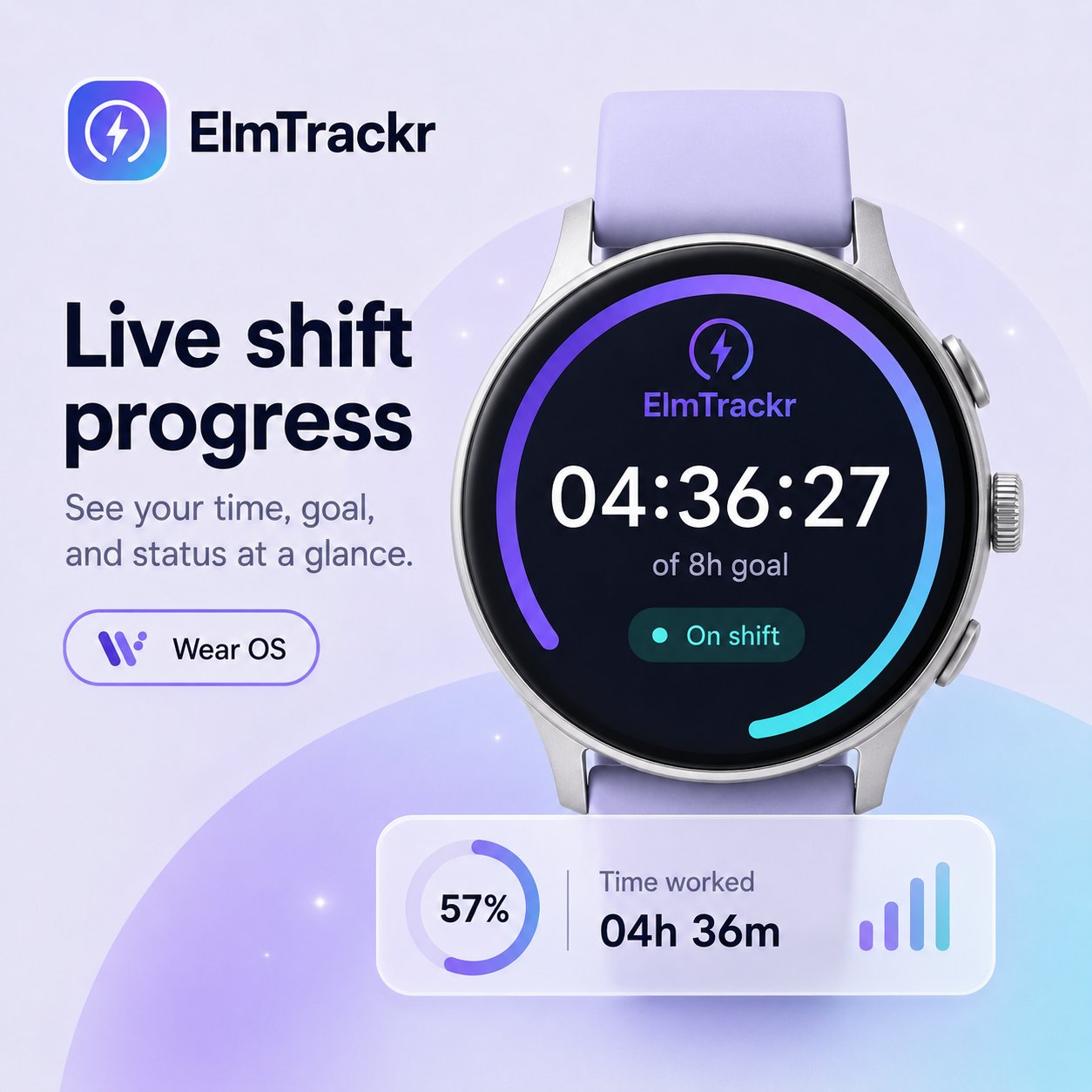
Same punch, no phone. The Wear OS tile clocks you in from the watch face, and the always-on ring keeps the reading in the corner of your eye all shift long.

Three steps. That's it.
Set your rates once
Base rate, overtime threshold, weekend and night premiums — in your currency.
Punch, phone or wrist
One tap when you start, one when you stop. Forgot one? Edit any punch in seconds.
Check your payslip
Month report with every shift and formula. Export CSV whenever you want.
Your shifts are stored encrypted on your device — and sync when you're back online. Export or delete everything, anytime.
One minute. A month, measured.
A one-minute, silent-by-default screen recording of the Elmtrackr app: clocking in, the home dashboard, the shift list, capturing a receipt, monthly reports with CSV and PDF export, and the month's estimated gross. Turn on sound with the player controls, or read the full transcript below.
Read the transcript
A one-minute, silent-by-default screen recording of the Elmtrackr Android app. It has a background audio track rather than spoken narration, so everything meaningful happens on screen and is described here in order. All figures are in-app sample values for illustration; pay figures are estimates, not an official payslip.
0:00 — A calendar page settles on 24 July, opening the tour.
0:04 — A taxi receipt (Gett, ₪42.50) appears — a travel expense that can be claimed later.
0:09 — A “Last week…” card teases the days of the week.
0:13 — The home screen: a “Clock in” button under a greeting, and a July summary showing 18 shifts, 142.5 hours in total (118 regular, 14.5 overtime, 10 weekend) and an estimated gross of ₪9,840 before tax.
0:20 — The Shifts screen: hours tracked and an estimated gross, a shift running live since 08:02, and a list of recent shifts with their times, breaks, overtime and weekend tags, and pay per shift.
0:33 — Receipt capture: a camera view frames a receipt to scan on the device.
0:38 — The Reports screen: a monthly view with tabs for Hours and Travel refunds, an hours breakdown into regular, overtime and weekend, CSV and PDF export buttons, and gross pay before tax alongside travel refunds.
0:51 — A clock-out card: a live shift timer reading 8:24:17 since 08:02, with a Clock out button.
0:57 — A monthly summary card: gross pay, total hours, the number of shifts and refunds.
1:01 — The film closes on the ElmTrackr logo and the tagline “Your work. Your record.”
The app, from every angle.
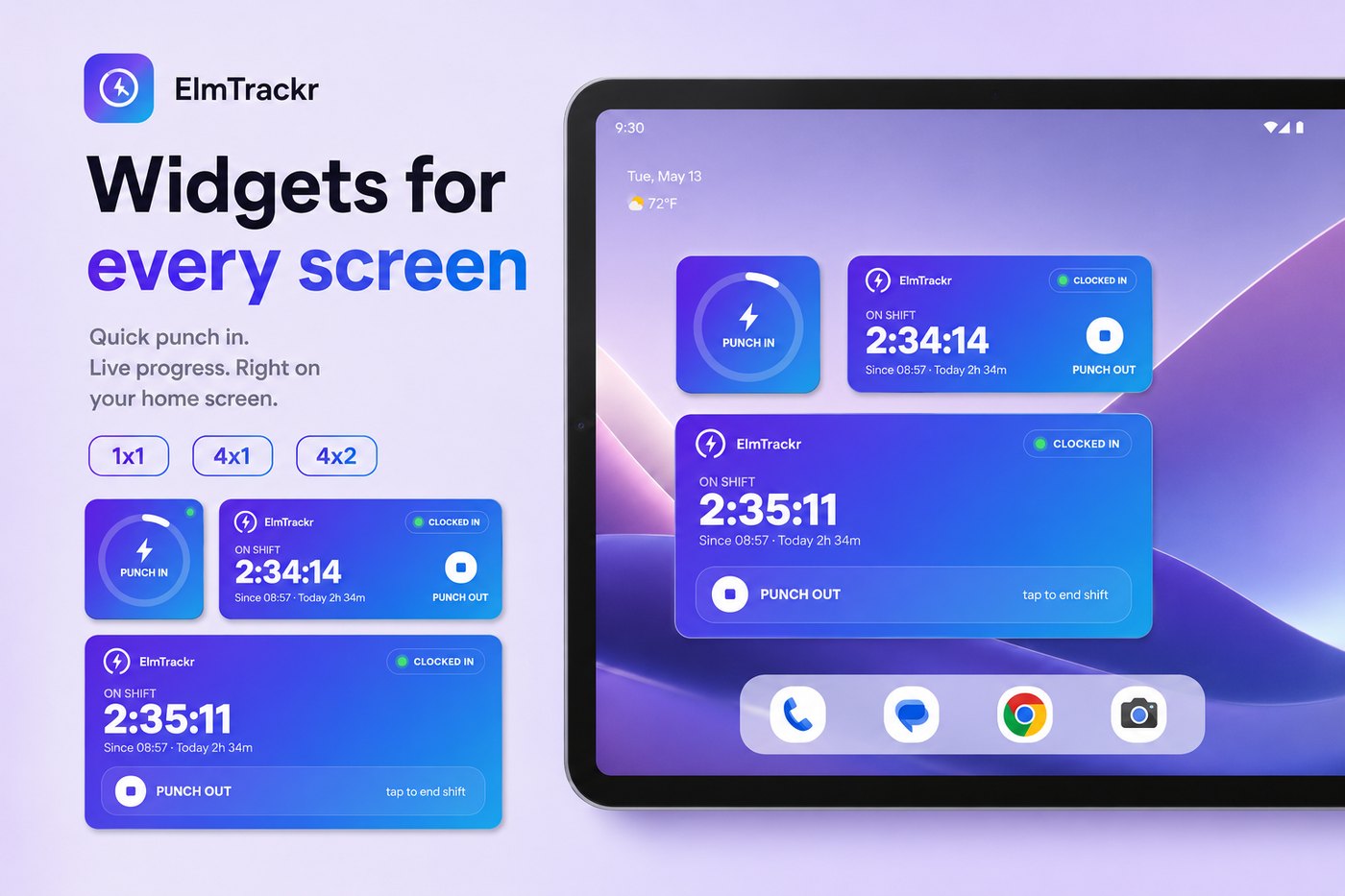
Renders of the Wear OS app and the home-screen widgets, straight from the product. Open any image for the full-size version.
Focused guides.
Short pages on each part of Elmtrackr — open the one that matches how you work.
Reports and exports →
Monthly and weekly summaries with regular, overtime and weekend breakdowns — export any month as CSV or PDF.
Tasks on every shift →
Record what you did during a shift, with suggestions drawn from your own habits.
Receipts and reimbursements →
Capture receipts, read them on-device with OCR, and export a commute-reimbursement packet.
Privacy and security →
How your shifts are stored encrypted on your device, with an optional biometric app lock.
Questions, answered.
Does Elmtrackr calculate overtime automatically?
Yes. You set your daily and weekly overtime thresholds once, and Elmtrackr applies them automatically to every shift, alongside the weekend, night and holiday premiums you configure.
Is estimated pay the same as an official payslip?
No. Every pay figure is an estimate based on the rules you set, and it is always labelled as an estimate. It's there to help you check your pay — your employer's records and payslip remain the official source.
Can I clock in from a Wear OS watch?
Yes. A Wear OS tile and a watch-face complication let you clock in and out straight from the watch — Wear OS 3 and newer — and the reading syncs back to your phone.
Does Elmtrackr work without an internet connection?
Yes. Tracking your shifts works fully offline and your data is saved on the device. A connection is only needed for optional cloud sync, signing in to an account, and uploading receipts.
Can I export my shifts to CSV or PDF?
Yes. You can export your shifts as a CSV file or as a PDF report, with regular, overtime and weekend hours broken out.
Can I edit a forgotten or incorrect shift?
Yes. You can add a shift after the fact or edit an existing one — adjust the start, end or rate if you forgot to punch or need to correct a reading.
How are receipts handled?
Elmtrackr can capture receipts with the camera and read them on-device using OCR for Latin-script text and Hebrew, as part of its commute-reimbursement tracking. The images stay on your device.
Is my local shift data encrypted?
Yes. Your on-device database is encrypted, and you can add a biometric or device-credential lock to open the app. Cloud sync is optional and off until you sign in.
Know the number.
Set your rates once, clock in, and see an estimated gross as the shift runs — your data stays encrypted on your device. Current pricing is shown on the Google Play listing.
 Get it on Google Play
ANDROID + WEAR OS · ₪ / $ / € · OFFLINE-FIRST
Get it on Google Play
ANDROID + WEAR OS · ₪ / $ / € · OFFLINE-FIRST
 Discord community